
IPv4 vs IPv6: Configuring Network Settings on Your First Linux Server
Apr 12, 2026
A couple of months back, I was spinning up my first RHEL 10 server at this small agency gig I picked up here in the Netherlands. It wasn’t anything crazy—just a Jenkins pipeline hooked up to GitHub Actions to automate a Python Scrapy bot I’d built. If you’re curious about setting up a practice environment like this, I’ve written about How to Build a Zero-Cost RHEL 10 Practice Lab Using VirtualBox separately. The bot’s job? Tracking my Udemy course sales. The sales were trickling in nicely, but the bot kept choking on these incredibly annoying NAT timeouts from my standard IPv4 setup. I’d always heard IPv6 was the promised land with its massive address space—we’re talking 340 undecillion addresses compared to IPv4’s measly 4.3 billion—but honestly? I wasn’t entirely sure if it was worth the headache on a fresh box. Even with 14 years as a DevOps engineer bouncing between startups and massive enterprises, and with RHCE, CKA, and AWS certs sitting in my pocket, I’d mostly avoided it. But I figured it was finally time to compare them hands-on and actually get my hands dirty.
During the RHEL install, I started with the basics. In the Network & Hostname screen, my enp0s3 interface popped up as connected, showing the hardware MAC 08:00:27:71:EF:78. For the IPv4 side of things, I decided to go manual. I set the method to Manual, plugged in 192.168.0.110/24, threw in 192.168.0.1 for the gateway, and added good old 8.8.8.8 for DNS. I hit Done, and it was golden. This relates to something I covered in 5 Common Linux Installation Mistakes and How to Avoid Them… You really can’t beat that DHCP-free stability, which IPv4 just nails with its familiar dot-decimal format (your classic 192.168.1.1 style). Plus, there are no fragmentation headaches to worry about since the routers handle all of that heavy lifting. IPv4 has literally been around forever, and it’s undeniably reliable for a quick local setup, even if the world is completely running out of addresses.
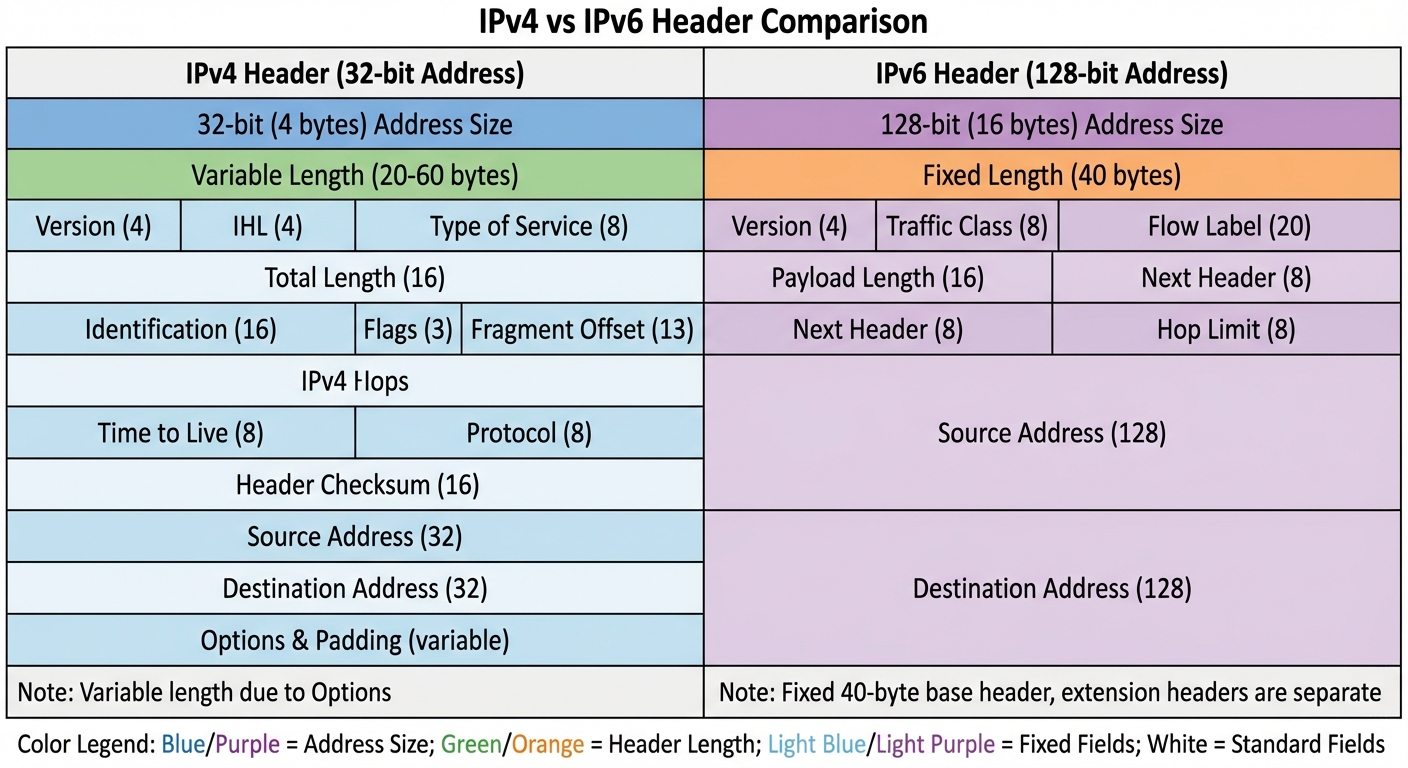
Then came IPv6. Man, looking at that auto-generated beast—2001:1970:5383:4b00:a00:27ff:fe71:ef78/64—is always a bit of a trip. I flipped the IPv6 tab over to Automatic to let SLAAC do its magic, and boom: instant end-to-end connectivity without the nightmare of NAT. It even has built-in IPSec for security, something IPv4 just awkwardly bolts on as an afterthought. When I ran my ping tests, the routing felt noticeably snappier, delivering lower latency purely because of the simpler headers. Going dual-stack was the real winner here. Running both protocols side-by-side on the same VPS keeps the legacy stuff happy while completely future-proofing the box. IPv6’s hierarchical addressing definitely beats IPv4 for scaling, though I will admit some of my legacy apps whined loudly until I tweaked them. I had to dig into the configs way more than I expected, fiddling with those hex prefixes. It’s funny how something so “simple” in theory almost always turns into a mini debugging session.
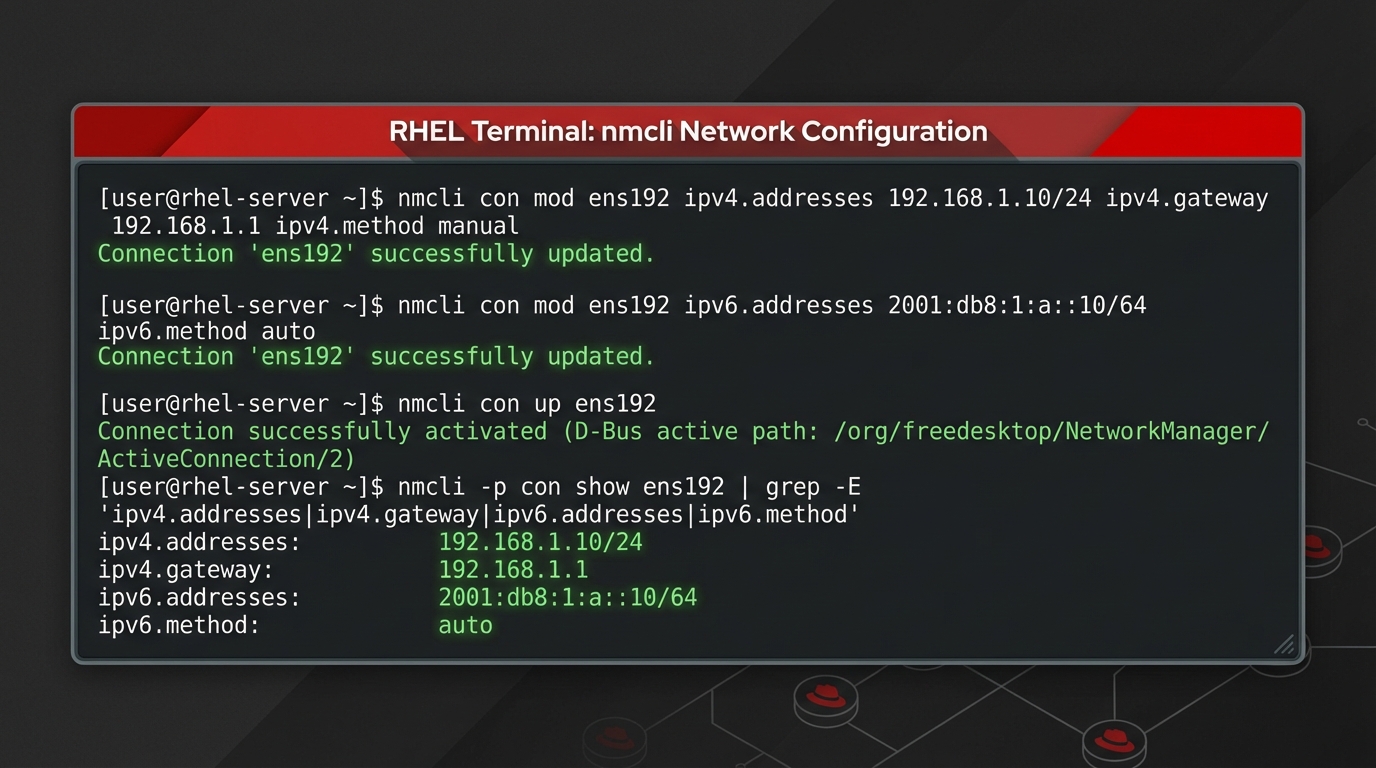
I know this is a total tangent, but it reminds me of early on in my career when I genuinely thought Kubernetes was just like ECS. Looking back, I definitely should have read the docs a little closer—total facepalm moment as an SRE. Anyway, back to the networks. The harsh reality is that IPv6 simply won’t work if your ISP or router lacks support. And real-world speed? It’s mixed. My IPv6 connection actually suffered some weird packet loss spikes once. I’m still not entirely sure how it handles mobile hotspots, either. But for servers, dual-stack absolutely rules, no question about it.
Makes me wonder, though—are you still stuck fighting in IPv4 NAT hell, too?
🚀 Want the full picture?
I put together RHCSA Bootcamp (RHEL 10) - Arabic for people who want the whole journey, not scattered tutorials. Step-by-step lessons, real labs, and the details I wish someone had taught me early on.